Google’s Nano Banana 2: Fast, Affordable AI Image Generation at Scale
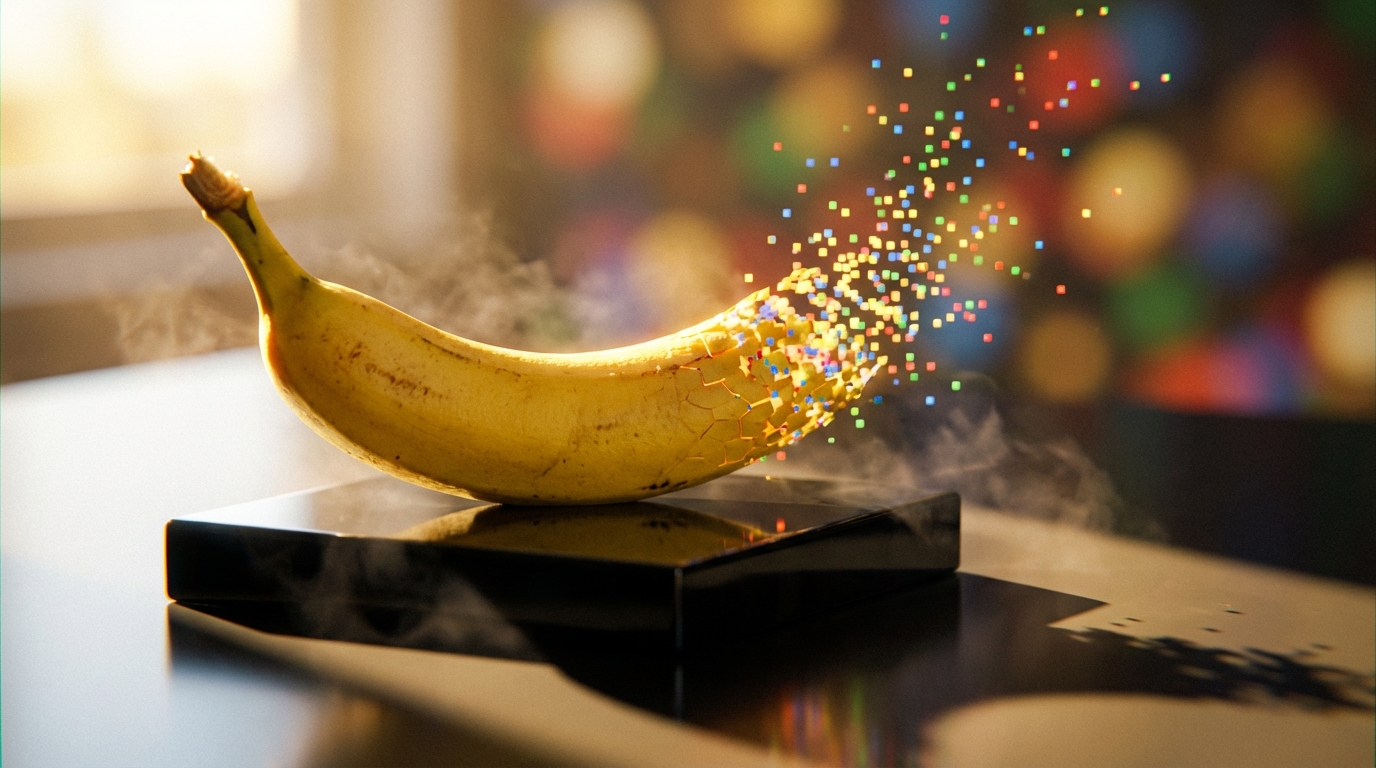
On February 26, 2026, Google rolled out Nano Banana 2 – officially named Gemini 3.1 Flash Image – and immediately made it the default image generation model across nearly every product in its ecosystem. This is not a quiet research preview or a limited beta. It went straight to production in the Gemini app, Google Search via Lens and AI Mode across 141 countries, the Flow video editing tool, Google Ads, and multiple developer platforms including AI Studio, Vertex AI, and the Gemini CLI.
What makes this release significant is the combination it achieves: the high-fidelity visual quality of Nano Banana Pro with the raw speed of the Gemini Flash architecture, all at roughly half the cost of comparable models from competitors like OpenAI. At $0.039 per image on the paid tier for 1K resolution, it represents a genuine shift in the economics of AI-generated visuals. For developers, marketers, and creators who need production-quality images at volume, the math just changed dramatically.
This article breaks down everything you need to know about Nano Banana 2 – its capabilities, how to access it, what it costs, how to get the best results, and where it fits in the broader landscape of AI image generation.
From Viral Sensation to Production Workhorse
The Nano Banana lineage is short but impactful. Google released the original Nano Banana in August 2025 as its Gemini Image model, and it quickly became a viral hit – millions of images were generated in the Gemini app, with particularly strong adoption in markets like India. That original model proved there was massive demand for accessible, high-quality image generation baked directly into tools people already use.
In November 2025, Google followed up with Nano Banana Pro, which pushed quality significantly higher with studio-level control and advanced detail. But Pro came with trade-offs in speed and cost that limited its appeal for high-volume workflows.
Nano Banana 2 resolves that tension. It retains Pro’s high-fidelity characteristics – character consistency for up to five characters, fidelity for up to 14 objects in a single workflow, vibrant lighting, richer textures, and sharper details – while delivering generation at Flash-tier speed. The result is a model that handles the vast majority of use cases without requiring users to choose between quality and efficiency.
Core Capabilities and Technical Specifications
Nano Banana 2 is built on the Gemini 3.1 Flash Image architecture, which means it reasons about composition, lighting, and spatial relationships before rendering. This is fundamentally different from traditional diffusion models that treat prompts as weighted tokens. The model interprets creative direction the way a multimodal language model would, capturing nuance and context that single-modality systems miss.
Resolution and Format Support
The model supports resolutions from 512px up to native 4K, with output formats including PNG, JPEG, and WebP. Aspect ratio support is extensive:
- Standard formats: 1:1, 16:9, 4:3, 3:2, 5:4, 2:3, 9:16, 21:9
- Ultrawide and vertical extremes: 4:1, 1:4, 8:1, 1:8
- Auto mode for letting the model choose the best fit
This range means you can generate everything from square social posts to ultrawide cinematic backdrops to tall vertical stories without cropping or compromising detail.
Intelligence Features
Three capabilities set Nano Banana 2 apart from most competing image generators. First, it integrates Google Search grounding – including Image Search – which means it can pull real-time web data to render specific subjects, landmarks, or current events accurately rather than hallucinating details from training data. Second, it handles precise text rendering and localization, producing crisp, legible copy in multiple languages including right-to-left scripts like Arabic and Hindi. Third, its subject consistency system maintains character identity for up to five people and 14 objects across multiple generations, making it viable for storyboarding and campaign work.
| Feature | Nano Banana (Aug 2025) | Nano Banana Pro (Nov 2025) | Nano Banana 2 (Feb 2026) |
|---|---|---|---|
| Speed | Standard | Moderate (high-fidelity focus) | Flash-level (fastest) |
| Max Resolution | Limited | Up to 8K | 512px to native 4K |
| Character Consistency | Basic | Advanced (5+) | Up to 5 characters, 14 objects |
| Search Grounding | No | Yes | Yes (real-time web and images) |
| Text Rendering | Basic | Advanced | Advanced with auto-translation |
| Cost per Image (1K) | N/A | $0.134 | $0.039 |
| Deployment | Gemini app | Specialized | Default across Gemini, Search (141 countries), Flow, Ads, APIs |
Pricing and Cost Efficiency
The economics of Nano Banana 2 deserve close attention, especially for anyone running image generation at volume. The base cost on the paid tier is $0.039 per image at 1K resolution. Resolution scaling is straightforward:
| Resolution | Rate Multiplier | Approximate Cost per Image |
|---|---|---|
| 512px | 0.75x | ~$0.029 |
| 1K (default) | 1x | $0.039 |
| 2K | 1.5x | ~$0.059 |
| 4K | 2x | ~$0.078 |
Compare this to Nano Banana Pro at $0.134 per 1K/2K image and $0.24 per 4K image, and the savings become stark. For a campaign generating 1,000 images at 1K resolution, you are looking at $39 with Nano Banana 2 versus $134 with Pro. The batch API offers an additional 50% discount, bringing costs even lower for non-time-sensitive workloads. Input tokens for text and image prompts run $0.30 per million tokens at standard rates. If web search grounding is enabled, an additional $0.015 per request applies on third-party platforms.
By industry benchmarks, this pricing comes in at roughly half the cost of comparable OpenAI models, making it one of the most cost-effective options for production-scale image generation available today.
Where to Access Nano Banana 2
Google has made Nano Banana 2 available through an unusually broad set of entry points, reflecting its strategy of making the model a foundational layer rather than a standalone product.
- Gemini App: Now the default for Fast, Thinking, and Pro modes. Google AI Pro and Ultra subscribers retain access to Nano Banana Pro for specialized tasks via the three-dot menu.
- Google Search: Powers image generation in AI Mode and Lens across 141 countries, on both mobile and desktop browsers.
- Google AI Studio: Available in preview for free testing and experimentation. A paid API key is required for production use.
- Gemini API and Vertex AI: Full developer access for enterprise deployment with additional security, compliance, and management features.
- Flow: Default image generation model, available to all users at zero credits.
- Google Ads: Powers AI-generated image suggestions during campaign creation.
- Third-party platforms: Available through hosts like fal.ai for commercial use with batch processing of 1-4 images per request.
- Google Antigravity and Firebase: Integrated for app development workflows.
Step-by-Step Guide to Generating Images
Getting started with Nano Banana 2 is straightforward whether you are using the Gemini app or the developer API. Here is a practical walkthrough:
- Craft your prompt: Use descriptive natural language. Be specific about mood, style, camera angle, lighting, and quantities. Example: “A photorealistic product shot of a red smartphone on a marble table, golden hour lighting, 16:9 aspect ratio, add ‘Launch Day’ text in bold sans-serif.” The model responds well to complex, multi-layered instructions.
- Set your parameters: Choose resolution (512px for thumbnails and rapid iteration, 1K for general use, 4K for production assets), aspect ratio (match your output need – 9:16 for social vertical, 16:9 for widescreen), and thinking level (Minimal for speed, High/Dynamic for complex multi-element prompts).
- Enable web search if needed: For prompts involving real locations, current events, specific products, or public figures, enable the web search grounding parameter to pull real-time visual references.
- Generate and review: In Google AI Studio, paste your prompt, select options, and generate. Results typically arrive in seconds at Flash speed. You can request 1-4 images per batch for variations.
- Iterate without starting over: Upload your generated image back and prompt changes – “Change background to sunset” or “Translate text to Japanese.” The model maintains core composition while applying edits, which is especially powerful in Flow for progressive refinement.
Common Mistakes and How to Avoid Them
Even with Nano Banana 2’s improved instruction following, certain pitfalls consistently trip up new users.
Vague prompts produce vague results. Saying “a picture of fruit” gives the model too little to work with. Specify quantities (“exactly 3 green apples”), angles (“45-degree overhead shot”), and styles (“in the style of a Pixar render”). The more precise you are, the more precisely the model follows.
Overloading a single prompt with too many elements can blur the output. The model handles up to 5 consistent characters and 14 objects reliably – push beyond that and fidelity degrades. For complex scenes, test with Minimal thinking first, then switch to High if the output needs more reasoning depth.
Ignoring aspect ratio selection leads to unnecessary cropping. Preview with the auto setting, then lock in the specific ratio for your platform. Use 512px resolution for rapid-fire iterations and only scale to 4K for final production assets – this saves both time and cost.
Skipping web grounding when accuracy matters is a missed opportunity. For branded content, product visualization, or anything referencing real-world subjects, enabling search grounding significantly reduces hallucination and improves factual accuracy.
Real-World Applications and Early Results
Early adopters are already reporting meaningful production gains. Whering, a fashion and wardrobe app, has used Nano Banana 2 to transform low-quality user photos into professional, studio-grade assets while preserving authentic textures. HubX, which focuses on face editing, achieved a 74-76% reduction in latency – effectively making their editing workflows four times faster without compromising on Pro-level quality. KLIPY, which creates memes, stickers, and emojis, leverages the model’s precision text rendering to generate accurate copy directly within image assets.
Beyond these specific cases, the model’s practical sweet spots are becoming clear: marketing teams generating high-volume ad creative across multiple aspect ratios, e-commerce platforms building dynamic product catalogs without manual photography, content creators storyboarding with consistent characters across frames, and developers building visual features into apps without needing separate image generation infrastructure.
Provenance, Safety, and the SynthID Watermark
Every image generated by Nano Banana 2 embeds a SynthID watermark – Google’s invisible marker for identifying AI-generated content. These watermarks are interoperable with C2PA Content Credentials, the industry standard backed by Adobe, Microsoft, Google, OpenAI, and Meta. Since launching SynthID verification in the Gemini app in November 2025, the feature has been used over 20 million times across various languages.
Users can upload any image to the Gemini app and ask whether it was generated by Google AI. C2PA verification is expected to arrive in the Gemini app soon, adding another layer of provenance tracking. For anyone sharing AI-generated content professionally, checking and preserving these credentials should be standard practice.
What This Means Going Forward
Nano Banana 2 represents a clear inflection point in AI image generation. The combination of Pro-level quality, Flash-tier speed, aggressive pricing, and deep ecosystem integration creates a model that is genuinely production-ready for mainstream use – not just for early adopters or technical users, but for anyone within Google’s ecosystem who needs to create visual content.
The broader trend it signals is the convergence of speed, fidelity, and grounding in a single model. Real-time web search integration for factual accuracy, native multilingual text rendering, and robust watermarking for provenance are becoming table stakes rather than premium features. Expect competitors to face pressure to match these efficiencies, and expect Google to push further with higher-resolution Flash variants and expanded product integration.
For now, the practical advice is simple: if you generate images at any volume, test Nano Banana 2 in Google AI Studio before committing to a workflow. Reserve Nano Banana Pro only for tasks requiring maximum fidelity beyond 14 objects or ultra-complex compositions. For everything else – ads, social content, product visualization, storyboarding, mockups – Nano Banana 2 is the new default for good reason.